# Claude Code Router
> 一款强大的工具,可将 Claude Code 请求路由到不同的模型,并自定义任何请求。
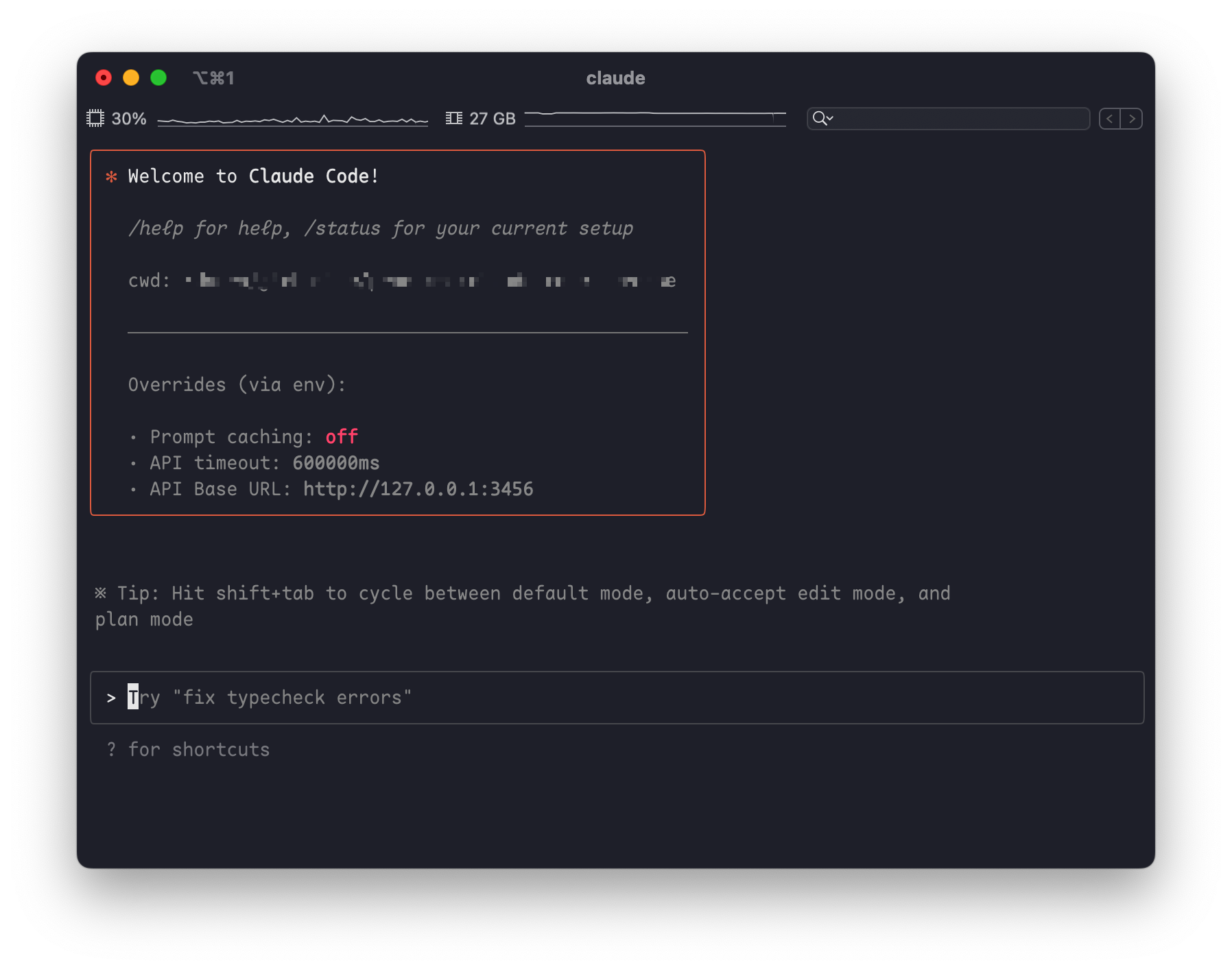
## ✨ 功能
- **模型路由**: 根据您的需求将请求路由到不同的模型(例如,后台任务、思考、长上下文)。
- **多提供商支持**: 支持 OpenRouter、DeepSeek、Ollama、Gemini、Volcengine 和 SiliconFlow 等各种模型提供商。
- **请求/响应转换**: 使用转换器为不同的提供商自定义请求和响应。
- **动态模型切换**: 在 Claude Code 中使用 `/model` 命令动态切换模型。
- **GitHub Actions 集成**: 在您的 GitHub 工作流程中触发 Claude Code 任务。
- **插件系统**: 使用自定义转换器扩展功能。
## 🚀 快速入门
### 1. 安装
首先,请确保您已安装 [Claude Code](https://docs.anthropic.com/en/docs/claude-code/quickstart):
```shell
npm install -g @anthropic-ai/claude-code
```
然后,安装 Claude Code Router:
```shell
npm install -g @musistudio/claude-code-router
```
### 2. 配置
创建并配置您的 `~/.claude-code-router/config.json` 文件。有关更多详细信息,您可以参考 `config.example.json`。
`config.json` 文件有几个关键部分:
- **`PROXY_URL`** (可选): 您可以为 API 请求设置代理,例如:`"PROXY_URL": "http://127.0.0.1:7890"`。
- **`LOG`** (可选): 您可以通过将其设置为 `true` 来启用日志记录。日志文件将位于 `$HOME/.claude-code-router.log`。
- **`APIKEY`** (可选): 您可以设置一个密钥来进行身份验证。设置后,客户端请求必须在 `Authorization` 请求头 (例如, `Bearer your-secret-key`) 或 `x-api-key` 请求头中提供此密钥。例如:`"APIKEY": "your-secret-key"`。
- **`HOST`** (可选): 您可以设置服务的主机地址。如果未设置 `APIKEY`,出于安全考虑,主机地址将强制设置为 `127.0.0.1`,以防止未经授权的访问。例如:`"HOST": "0.0.0.0"`。
- **`Providers`**: 用于配置不同的模型提供商。
- **`Router`**: 用于设置路由规则。`default` 指定默认模型,如果未配置其他路由,则该模型将用于所有请求。
这是一个综合示例:
```json
{
"APIKEY": "your-secret-key",
"PROXY_URL": "http://127.0.0.1:7890",
"LOG": true,
"Providers": [
{
"name": "openrouter",
"api_base_url": "https://openrouter.ai/api/v1/chat/completions",
"api_key": "sk-xxx",
"models": [
"google/gemini-2.5-pro-preview",
"anthropic/claude-sonnet-4",
"anthropic/claude-3.5-sonnet"
],
"transformer": { "use": ["openrouter"] }
},
{
"name": "deepseek",
"api_base_url": "https://api.deepseek.com/chat/completions",
"api_key": "sk-xxx",
"models": ["deepseek-chat", "deepseek-reasoner"],
"transformer": {
"use": ["deepseek"],
"deepseek-chat": { "use": ["tooluse"] }
}
},
{
"name": "ollama",
"api_base_url": "http://localhost:11434/v1/chat/completions",
"api_key": "ollama",
"models": ["qwen2.5-coder:latest"]
}
],
"Router": {
"default": "deepseek,deepseek-chat",
"background": "ollama,qwen2.5-coder:latest",
"think": "deepseek,deepseek-reasoner",
"longContext": "openrouter,google/gemini-2.5-pro-preview"
}
}
```
### 3. 使用 Router 运行 Claude Code
使用 router 启动 Claude Code:
```shell
ccr code
```
#### Providers
`Providers` 数组是您定义要使用的不同模型提供商的地方。每个提供商对象都需要:
- `name`: 提供商的唯一名称。
- `api_base_url`: 聊天补全的完整 API 端点。
- `api_key`: 您提供商的 API 密钥。
- `models`: 此提供商可用的模型名称列表。
- `transformer` (可选): 指定用于处理请求和响应的转换器。
#### Transformers
Transformers 允许您修改请求和响应负载,以确保与不同提供商 API 的兼容性。
- **全局 Transformer**: 将转换器应用于提供商的所有模型。在此示例中,`openrouter` 转换器将应用于 `openrouter` 提供商下的所有模型。
```json
{
"name": "openrouter",
"api_base_url": "https://openrouter.ai/api/v1/chat/completions",
"api_key": "sk-xxx",
"models": [
"google/gemini-2.5-pro-preview",
"anthropic/claude-sonnet-4",
"anthropic/claude-3.5-sonnet"
],
"transformer": { "use": ["openrouter"] }
}
```
- **特定于模型的 Transformer**: 将转换器应用于特定模型。在此示例中,`deepseek` 转换器应用于所有模型,而额外的 `tooluse` 转换器仅应用于 `deepseek-chat` 模型。
```json
{
"name": "deepseek",
"api_base_url": "https://api.deepseek.com/chat/completions",
"api_key": "sk-xxx",
"models": ["deepseek-chat", "deepseek-reasoner"],
"transformer": {
"use": ["deepseek"],
"deepseek-chat": { "use": ["tooluse"] }
}
}
```
- **向 Transformer 传递选项**: 某些转换器(如 `maxtoken`)接受选项。要传递选项,请使用嵌套数组,其中第一个元素是转换器名称,第二个元素是选项对象。
```json
{
"name": "siliconflow",
"api_base_url": "https://api.siliconflow.cn/v1/chat/completions",
"api_key": "sk-xxx",
"models": ["moonshotai/Kimi-K2-Instruct"],
"transformer": {
"use": [
[
"maxtoken",
{
"max_tokens": 16384
}
]
]
}
}
```
**可用的内置 Transformer:**
- `deepseek`: 适配 DeepSeek API 的请求/响应。
- `gemini`: 适配 Gemini API 的请求/响应。
- `maxtoken`: 设置特定的 `max_tokens` 值。
- `openrouter`: 适配 OpenRouter API 的请求/响应。
- `tooluse`: 优化某些模型的工具使用。
- `gemini-cli` (实验性): 通过 Gemini CLI [gemini-cli.js](https://gist.github.com/musistudio/1c13a65f35916a7ab690649d3df8d1cd) 对 Gemini 的非官方支持。
**自定义 Transformer:**
您还可以创建自己的转换器,并通过 `config.json` 中的 `transformers` 字段加载它们。
```json
{
"transformers": [
{
"path": "$HOME/.claude-code-router/plugins/gemini-cli.js",
"options": {
"project": "xxx"
}
}
]
}
```
#### Router
`Router` 对象定义了在不同场景下使用哪个模型:
- `default`: 用于常规任务的默认模型。
- `background`: 用于后台任务的模型。这可以是一个较小的本地模型以节省成本。
- `think`: 用于推理密集型任务(如计划模式)的模型。
- `longContext`: 用于处理长上下文(例如,> 60K 令牌)的模型。
您还可以使用 `/model` 命令在 Claude Code 中动态切换模型:
`/model provider_name,model_name`
示例: `/model openrouter,anthropic/claude-3.5-sonnet`
## 🤖 GitHub Actions
将 Claude Code Router 集成到您的 CI/CD 管道中。在设置 [Claude Code Actions](https://docs.anthropic.com/en/docs/claude-code/github-actions) 后,修改您的 `.github/workflows/claude.yaml` 以使用路由器:
```yaml
name: Claude Code
on:
issue_comment:
types: [created]
# ... other triggers
jobs:
claude:
if: |
(github.event_name == 'issue_comment' && contains(github.event.comment.body, '@claude')) ||
# ... other conditions
runs-on: ubuntu-latest
permissions:
contents: read
pull-requests: read
issues: read
id-token: write
steps:
- name: Checkout repository
uses: actions/checkout@v4
with:
fetch-depth: 1
- name: Prepare Environment
run: |
curl -fsSL https://bun.sh/install | bash
mkdir -p $HOME/.claude-code-router
cat << 'EOF' > $HOME/.claude-code-router/config.json
{
"log": true,
"OPENAI_API_KEY": "${{ secrets.OPENAI_API_KEY }}",
"OPENAI_BASE_URL": "https://api.deepseek.com",
"OPENAI_MODEL": "deepseek-chat"
}
EOF
shell: bash
- name: Start Claude Code Router
run: |
nohup ~/.bun/bin/bunx @musistudio/claude-code-router@1.0.8 start &
shell: bash
- name: Run Claude Code
id: claude
uses: anthropics/claude-code-action@beta
env:
ANTHROPIC_BASE_URL: http://localhost:3456
with:
anthropic_api_key: "any-string-is-ok"
```
这种设置可以实现有趣的自动化,例如在非高峰时段运行任务以降低 API 成本。
## 📝 深入阅读
- [项目动机和工作原理](blog/zh/项目初衷及原理.md)
- [也许我们可以用路由器做更多事情](blog/zh/或许我们能在Router中做更多事情.md)
## ❤️ 支持与赞助
如果您觉得这个项目有帮助,请考虑赞助它的开发。非常感谢您的支持!
[](https://ko-fi.com/F1F31GN2GM)
### 我们的赞助商
非常感谢所有赞助商的慷慨支持!
- @Simon Leischnig
- [@duanshuaimin](https://github.com/duanshuaimin)
- [@vrgitadmin](https://github.com/vrgitadmin)
- @*o
- [@ceilwoo](https://github.com/ceilwoo)
- @*说
- @*更
- @K*g
- @R*R
- [@bobleer](https://github.com/bobleer)
- @*苗
- @*划
- [@Clarence-pan](https://github.com/Clarence-pan)
- [@carter003](https://github.com/carter003)
- @S*r
- @*晖
- @*敏
- @Z*z
- @*然
- [@cluic](https://github.com/cluic)
- @*苗
- [@PromptExpert](https://github.com/PromptExpert)
- @*应
- [@yusnake](https://github.com/yusnake)
- @*飞
- @董*
(如果您的名字被屏蔽,请通过我的主页电子邮件与我联系,以便使用您的 GitHub 用户名进行更新。)
## 交流群


